Enhance LoadRunner scripts with AI
After converting LoadRunner scripts to BlazeMeter, you can use an AI-powered assistant to suggest and apply optimal configurations and assertions to the JMeter YAML scripts. The assistant analyzes each LoadRunner script and takes into account best practices and your BlazeMeter plan details (available credits, plan limits, and so on).
Convert LoadRunner scripts to JMeter
-
Go to https://shiftleft.blazemeter.com
- Compress your HTTP/TruClient script directory or folder to a .ZIP file.
- Upload the ZIP file to the Converter.
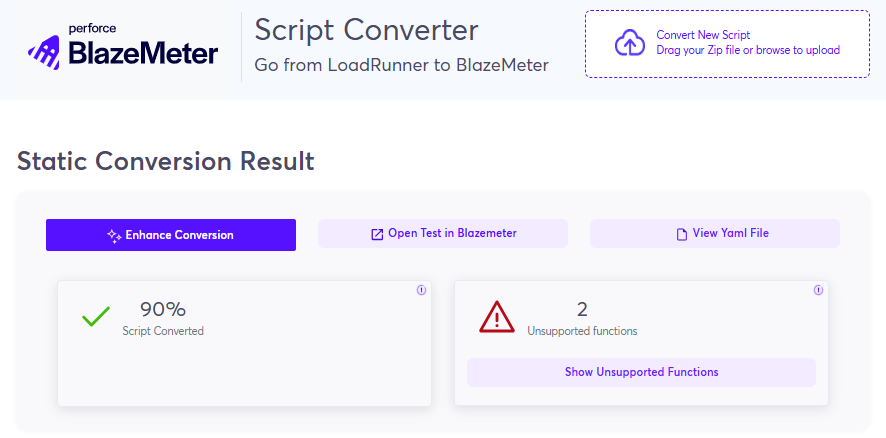
The script is converted. If the converted percentage is less than 100% and your script contains unsupported functions, you can click Enhance Conversion.
The script is converted with AI and now shows 100% conversion. - Click Improve Script With AI.
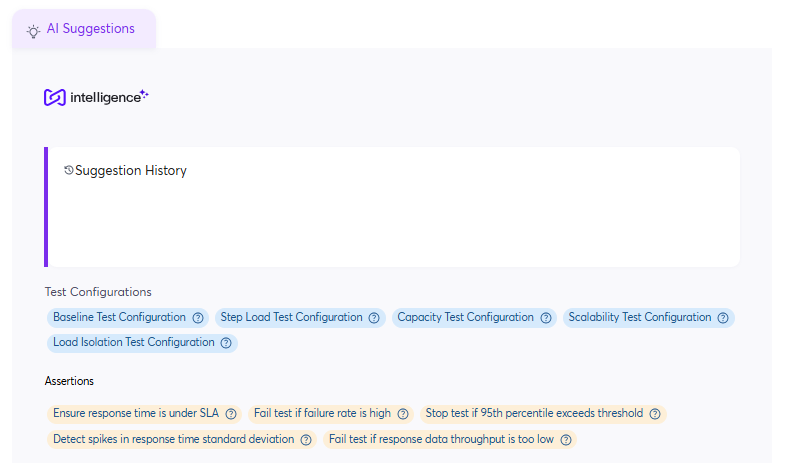
- You can select from up to 5 optimal configuration changes and 5 assertion types, tailored to the script's structure and goals. Review, accept, and apply any combination of suggested assertions, and select one configuration update per iteration. Your selected configuration and assertions will be applied to your YAML script.
- (Optional) Click View Yaml File to review it or compare to a previous version.
- Click Open Test in BlazeMeter.
The YAML file opens in BlazeMeter. You can download, copy, or delete the file.