September 2024
This page provides information on BlazeMeter features that were released in September 2024.
Service Virtualization
In this release, Service Virtualization includes the following enhancements:
Animated Virtual Service deployment timing and graphs
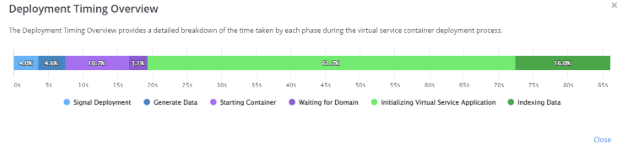
When starting a Virtual Service, deployment phases are now displayed with animations and graphs, providing insights into the startup process. Information such as the number of transactions, test data, think time, SSL, and more are included. Once a Virtual Service is running, users can click on Show More → Show Deployment Timing for further details.
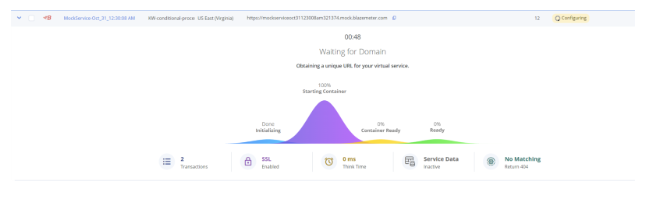
Once a Virtual Service is running, users can click on Show More --> Show Deployment Timing
Enhanced show logs for Virtual Services
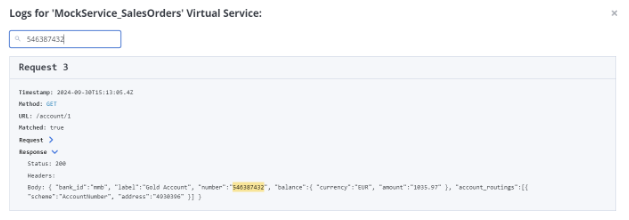
The "Show Logs" feature now clearly displays both Requests and Responses for each Virtual Service, improving log transparency. Additionally, a new Search Log function has been added to make it easier to find specific log entries.
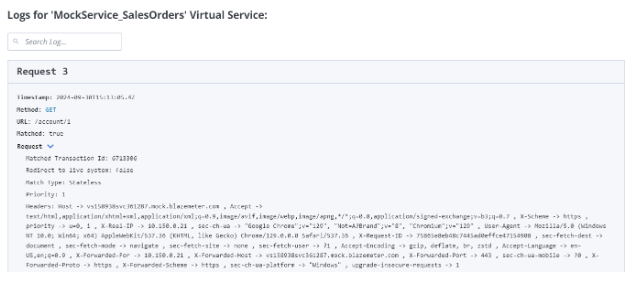
Search in Show Logs
Reliability and recovery of transactions (accidental deletion)
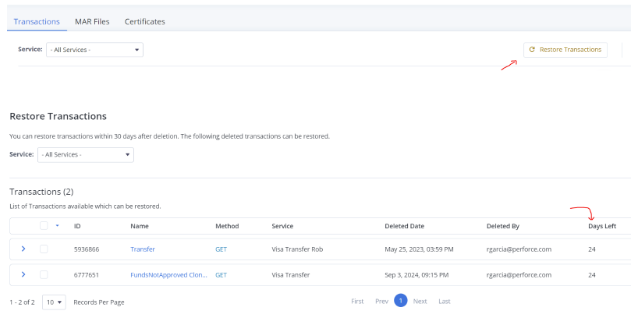
Service Virtualization now includes a transaction recovery feature for deleted data. Workspace Admins can recover transactions within 30 days of deletion, whether intentional or accidental. After 30 days, the transactions will be permanently deleted and unrecoverable. This feature is available only to Admin users, ensuring controlled access to recovery options.
Performance testing
In this release, Performance testing includes the following enhancements:
Anomaly Detection
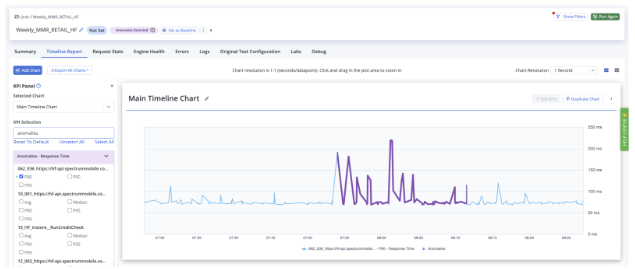
BlazeMeter introduces automated Anomaly Detection, helping users identify abnormal endpoint behavior during performance tests. This statistical model runs in the background without user intervention, flagging anomalies on the Timeline chart in purple. These highlighted anomalies point to specific endpoints/labels and timeframes, providing a starting point for root cause analysis of performance issues. Anomaly Detection adds another layer of defense against performance problems without the need for predefined failure criteria or baselines.
Anomaly Detection can be toggled off via the Account/Environment settings.
Java 21 Now Supported
Java 21 is now officially supported and can be used with the latest capabilities of various executors. This update allows users to leverage the newest features of Java 21 in their performance testing environments, enhancing compatibility and functionality.
API Monitoring
In this release, API Monitoring includes the following enhancements:
Conversion of API test to Performance test
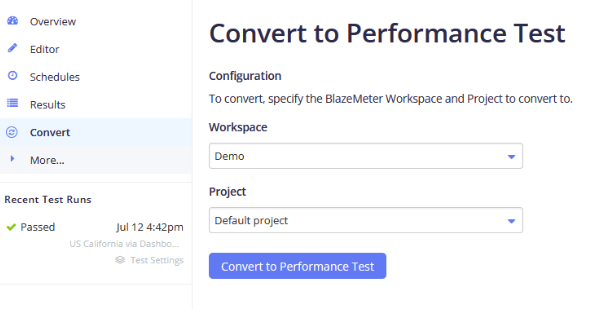
Conversion of API Test to Performance Test is a powerful new feature allowing users to convert API Monitoring Tests into BlazeMeter Performance Tests. This enables deeper insights into API performance by load testing APIs, checking response times under stress, and identifying bottlenecks. The feature works by converting existing JSON files (used for API testing/monitoring) into JMX files, the standard format for performance testing with Apache JMeter.
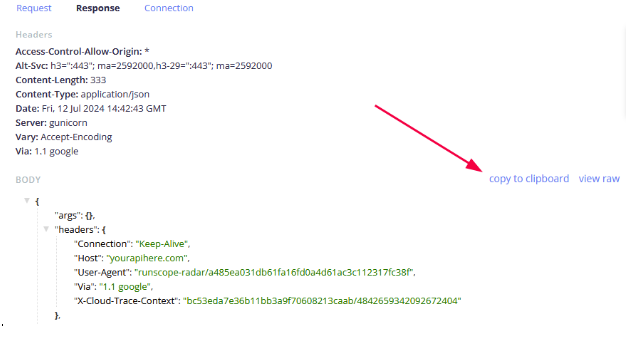
Copy Result response body into clipboard
This UX improvement allows users to easily copy the response body from test results directly to the clipboard, providing quicker access and enhanced flexibility.
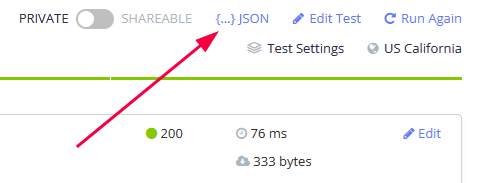
Download of JSON format of result
Users can now download API test results in JSON format. This machine-readable format offers more detailed data and can be leveraged by AI for deeper insights and analysis.
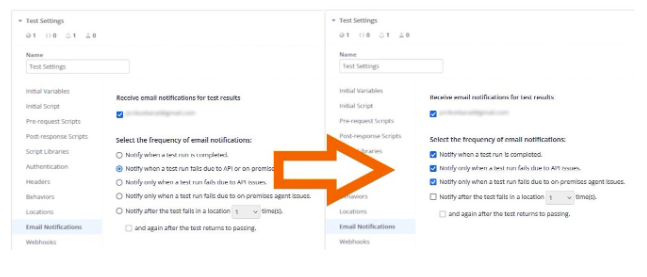
Flexible email notifications
We’ve enhanced how email notifications work in API Monitoring, providing greater flexibility and control. Instead of being limited to a single notification option, you can now select multiple notification preferences. This allows you to tailor your monitoring and reporting alerts based on your specific needs, ensuring you receive the right information at the right time.
GraphQL support
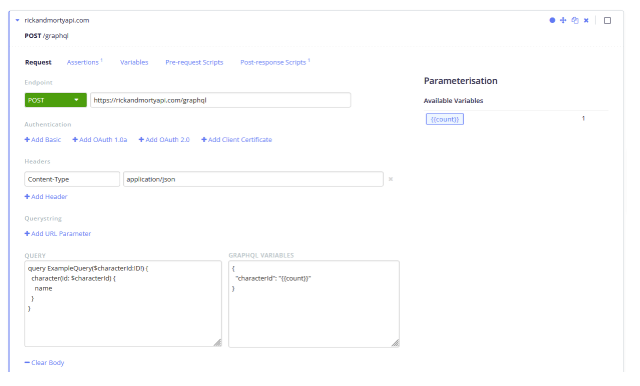
In response to the growing demand for GraphQL, BlazeMeter now supports GraphQL in API Testing and Monitoring. GraphQL allows users to request precisely the data they need in a single query, enhancing efficiency and flexibility compared to traditional REST APIs. With this new feature, users can send GraphQL requests, configure variables, and easily test their GraphQL endpoints, ensuring seamless client-server communication.