Add data entities
In BlazeMeter, a Data Entity is a container for Test Data parameters. You can add test data from various sources, such as CSV files or synthetic test data.
GUI Functional tests support one single Data Entity only. Performance tests support multiple data entities.
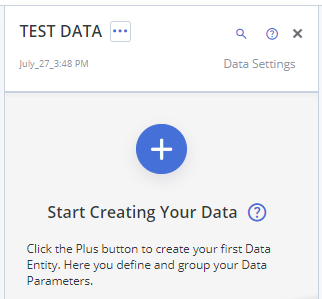
To add a Data Entity to a Performance test, follow these steps:
- Open a Performance test and click Test Data to open the Test Data pane.
- Click either the big blue Plus button or click TEST DATA... > Add Data Entity.
Choose one of the following options:- Create New Data Entity. Use this option to manually add Data Parameters. Give the Data Entity a descriptive, unique name.
- Create New Data Entity From CSV File. Select a CSV file with test data from your file system.
Attach CSV Files From Test Configuration. Use this option to create a new Data Entity from an already present CSV file in the test configuration.
- Load Data Entity From Workspace. Select a shared Data Entity that is stored in your workspace.
- Import Data Entity From Exported File. Use this option to create a new data entity from a previously exported file.
- Click Add.
The test data parameters in the entity are now available to the test.