November 2025
The following pages provide information on BlazeMeter releases from November 2025.
BlazeMeter 25-Q4-S4 was released on November 24, 2025.
API Monitoring
In this release, API Monitoring includes the following enhancements:
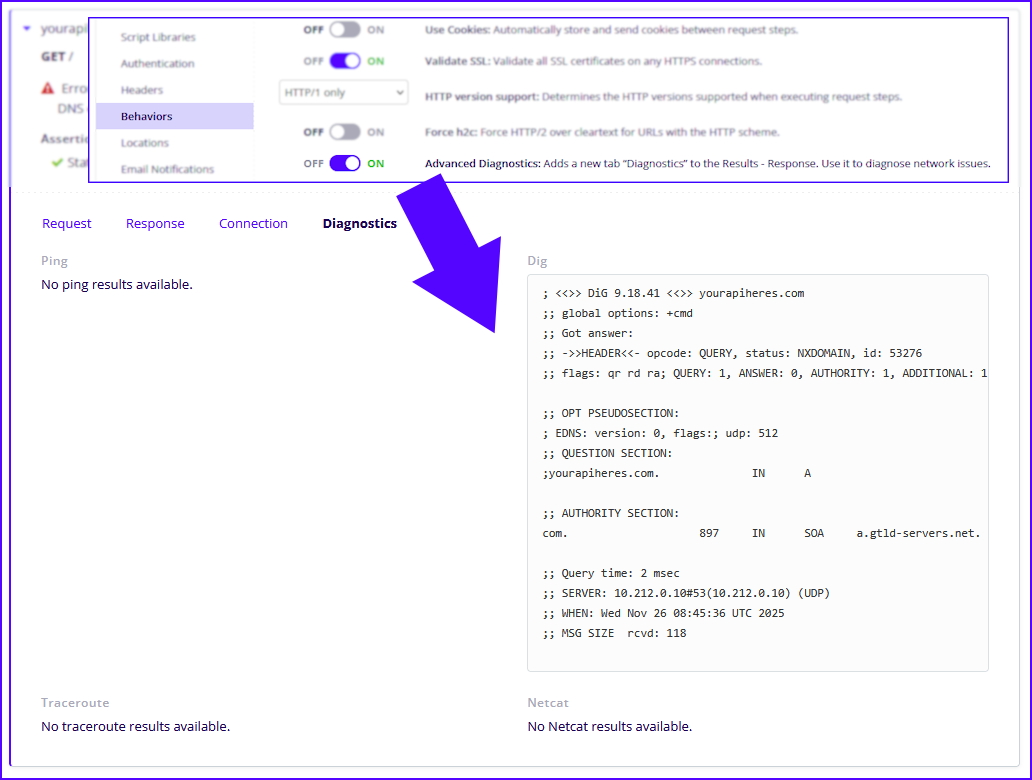
Advanced Diagnostics for API Monitoring
The Advanced Diagnostics feature provides API Monitoring customers with real-time network troubleshooting tools directly in the response view. When enabled, a new Diagnostics tab appears in the Results section, offering tools to identify and resolve connectivity issues quickly.
To activate this feature, go to your test settings and in the Behaviors section, toggle Advanced Diagnostics. By default, this option is off.
The Diagnostics tab includes several tools commonly used for network debugging:
-
ping - Verify basic reachability and measure latency.
-
netcat - Check TCP/UDP port-level connectivity.
-
dig - Diagnose DNS resolution issues.
-
traceroute - Map the network path and identify hops causing delays or packet loss.
These diagnostics help identify if failures are caused by DNS, connectivity, or routing issues. By isolating the source of the problem, they streamline root cause analysis and improve the reliability of your API tests.
To learn more, see Enable and view advanced diagnostics.
BlazeMeter 25-Q4-S3 was released on November 10, 2025.
API Monitoring
In this release, API Monitoring includes the following enhancements:
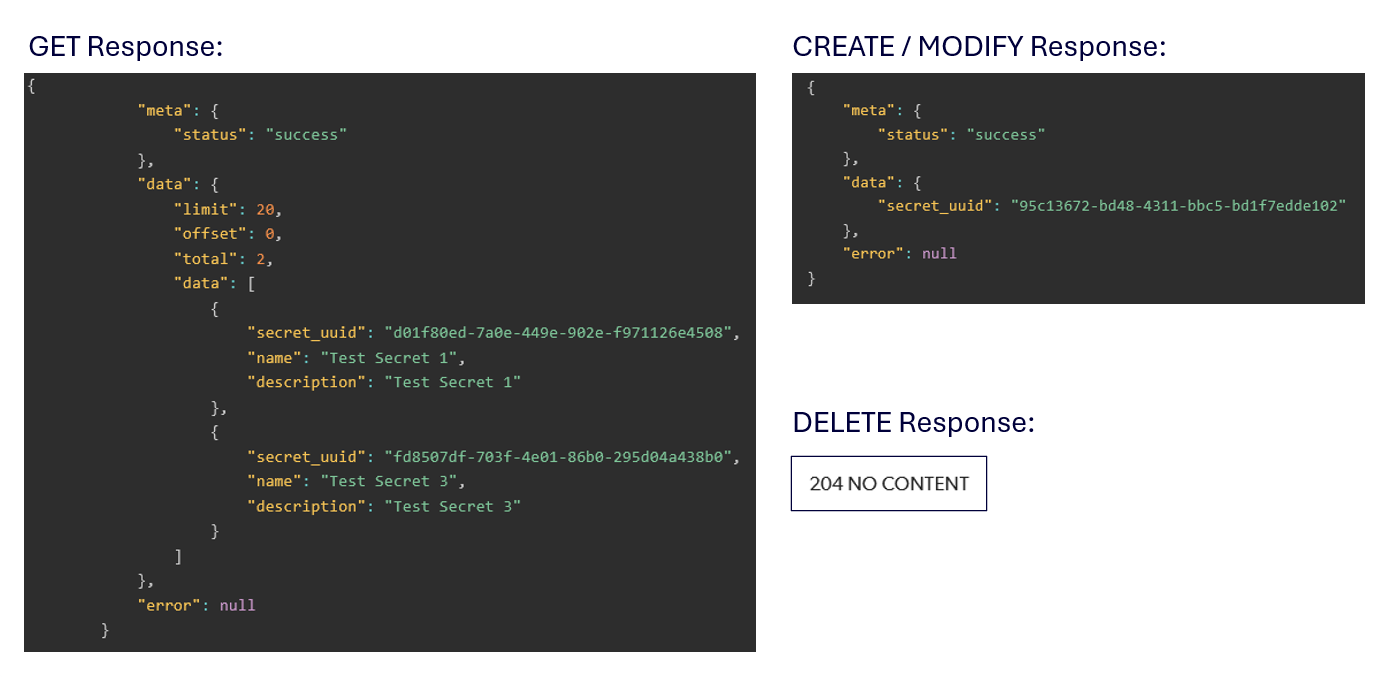
APIs for Secrets Management
The new Secrets Management APIs for API Monitoring provide structured support for handling secrets at the Team and Bucket levels. Users can perform listing, creation, modification, and deletion operations, with two distinct API sets available. Secret values remain protected and are never exposed in any API response.
To learn more, see Secrets.
Performance testing
In this release, Performance testing includes the following enhancements:
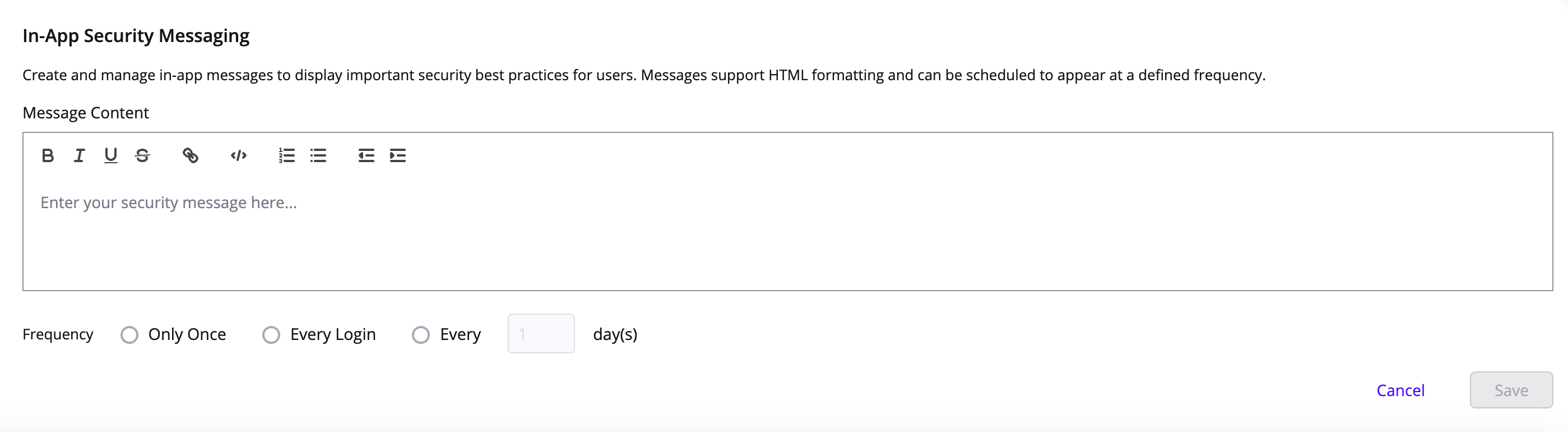
In-app messaging
Account admins can now create in-app messages that are displayed at different frequencies. Use in-app messages to share best practices, important announcements, or any other relevant content with all users.
You can create an in-app message under account settings, Environment.
To learn more, see Manage Environments.