Release 3.2
August 2, 2026
BlazeMeter 3.2 improves API Monitoring, Performance testing, Service Virtualization, and the ShiftLeft Converter. In API Monitoring, users can now collapse team sections in the Buckets panel. AI Log Analysis now supports Multi-tests, and the file upload limit increased from 50 MB to 100 MB. In Service Virtualization, transaction history now tracks edits with versioning, diff, and restore support. The ShiftLeft Converter adds output format selection (JMX or YAML) and lets users choose the target account, workspace, and project at conversion time.
Collapsible Teams | API Monitoring
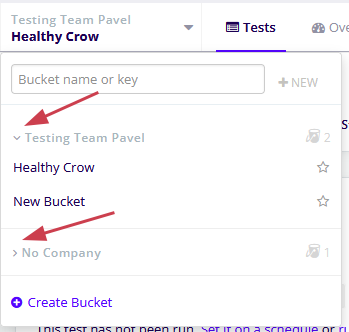
The buckets panel now lets you collapse and expand each team section independently. For users who belong to more teams, this keeps the panel navigable: collapse the teams you're not working in, and only the team header (name and bucket count) remains visible while its buckets are hidden. Each team's collapsed or expanded state is persisted locally in your browser, so the panel reopens exactly as you left it across page reloads. Collapsing one team has no effect on the others, and the behavior applies consistently to regular teams and the Pinned Buckets category.
To learn more, see Manage your buckets.
AI Log Analysis for multi-tests | Performance testing
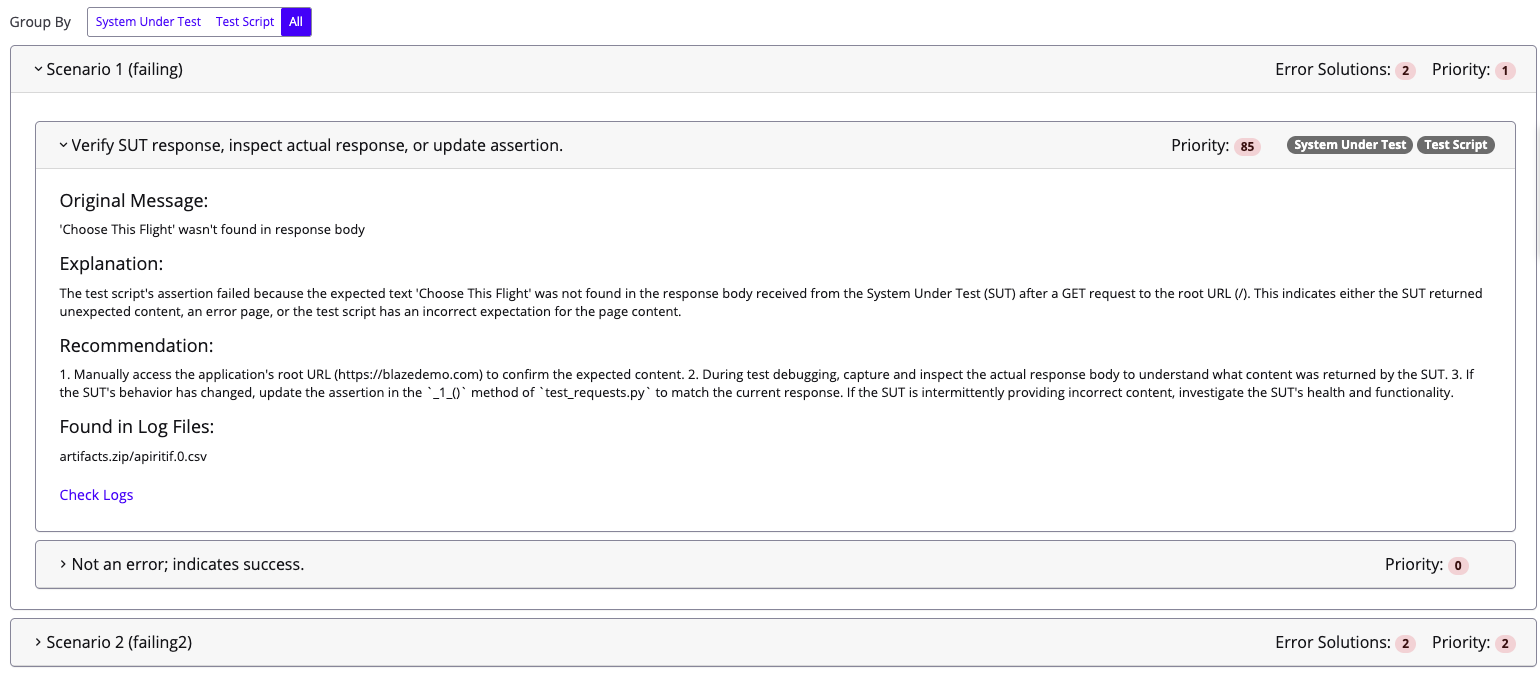
AI Log Analysis, previously limited to Performance and Browser-based test reports, now also supports multi-tests. When you run AI Log Analysis on a multi-test, results are grouped by scenario, with each scenario showing its name, number of detected solutions, and an AI-assigned priority score.
To learn more, see AI log analysis report.
Increased file upload limit | Performance testing
Users can now upload files up to 100 MB while configuring their tests. Previously, there was a hard limit of 50 MB for a single file.
To learn more, see Upload files.
Transactions versioning | Service Virtualization
You can now track and manage changes to virtual service transactions with built-in version history. Each time a transaction is edited, BlazeMeter automatically saves a new version, capturing both the changes made and the user who made them.
Previous versions can be compared in a side-by-side diff view and restored whenever needed. This helps teams audit changes, troubleshoot issues, and safely experiment with virtual service configurations without the risk of losing earlier versions.
To learn more, see Edit transactions.
Output Format & Destination Selection | ShiftLeft Converter
The ShiftLeft Converter now gives users more control over how and where converted scripts are delivered. Users can select either JMX or YAML as the output format and choose the specific BlazeMeter account, workspace, and project where converted assets are uploaded. The previously selected destination is automatically pre-filled for future conversions, reducing repetitive setup.
To learn more, see Convert LoadRunner or SOAPUI to open-source with ShiftLeft Converter.